Add Router
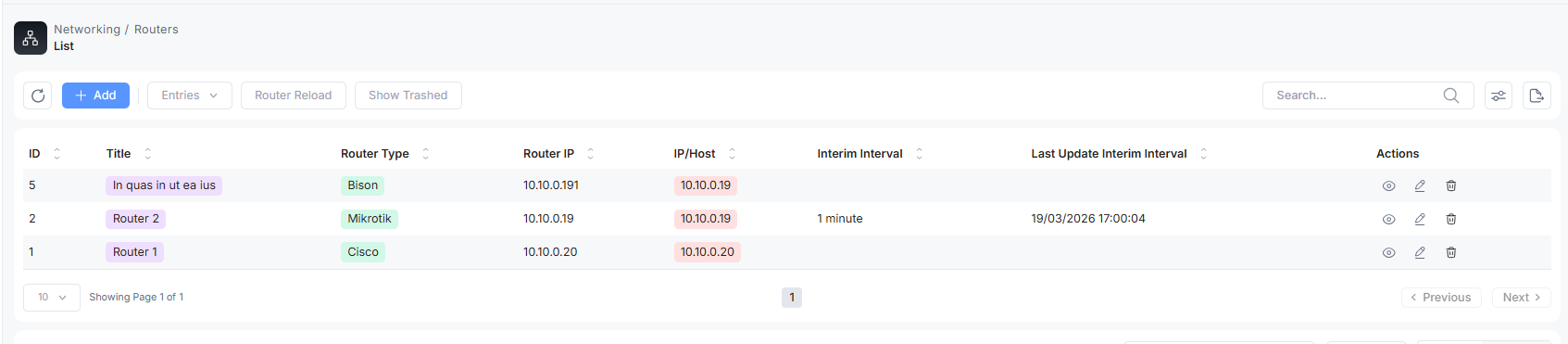
View ISP Router List
To add an ISP NAS, Go to the Networking section and click on Routers. You can see the list of added NAS list.
Add a New Router
To add a new ISP router, click on the Add button. Fill in the details and click on save
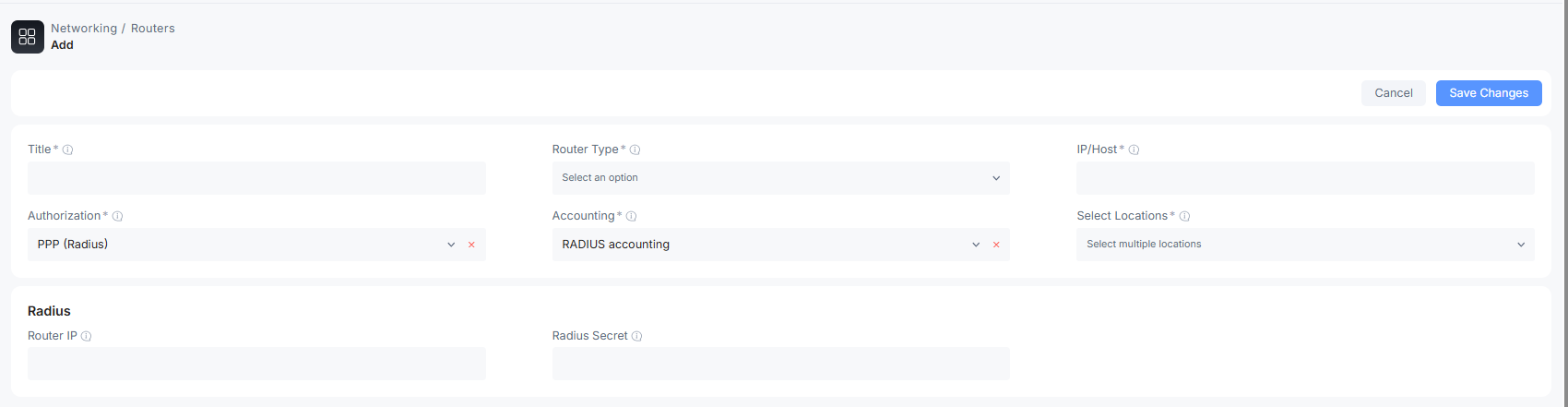
Title: Name assigned to the router to identify in a network
Router type: the router’s company name
IP/Host: the IP address of the router
Authorization: the method used for authentication and authorization with the RADIUS server
Accounting: a method used to track and record customer sessions, like Radius accounting
Select Location: the physical location where the router will be placed. The area working under that NAS.
Radius Credentials
Router IP: the IP address of a router for the Radius server database
Radius Secret: the password for a RADIUS authentication

