Customer Billing Section
Go to the customer tab, a list of customers will appear in front of you. Click on the customer's name to see the details of a particular customer. Go to the billing section for the history of financial transactions.
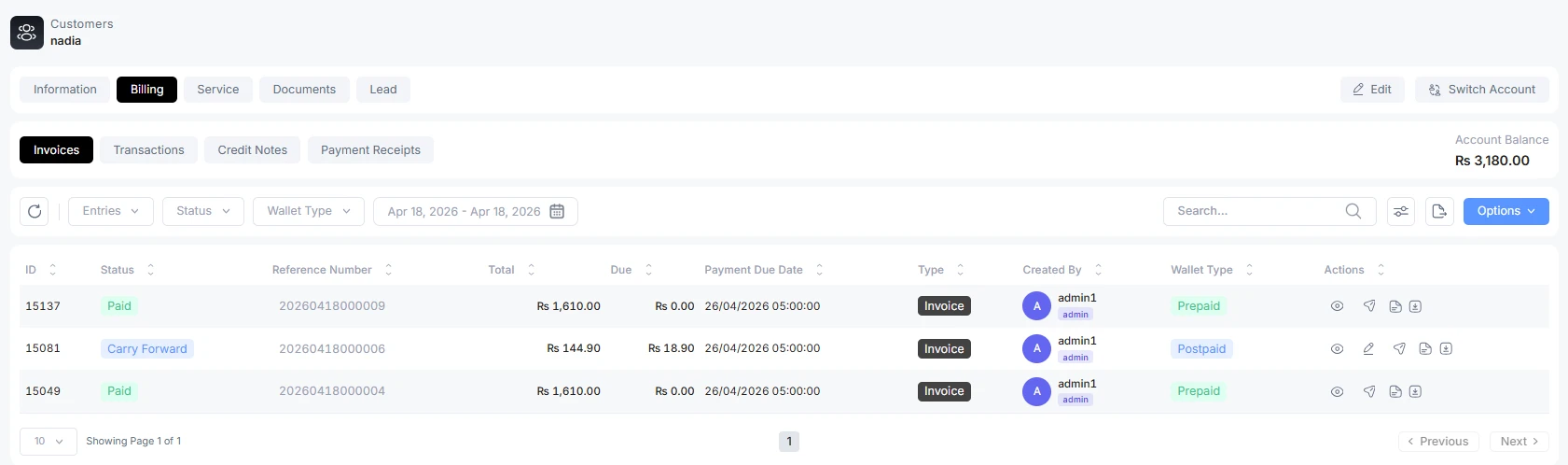
Invoices
Here, you can see the invoices of that customer. Their due dates and the status of the invoice, whether it is due or paid. You can send the due invoice from here directly to the customer. Also, you can see the recent invoice-related activity.
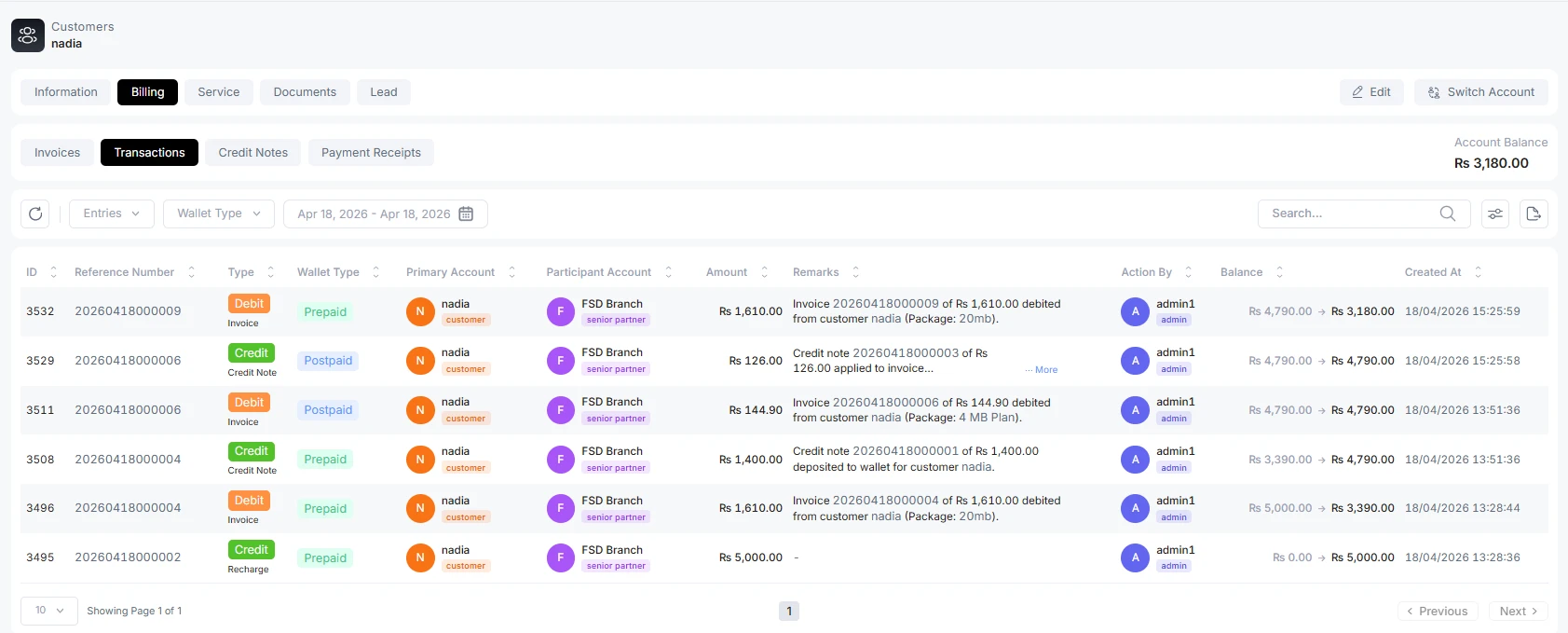
Transactions
Here, you can see the complete transaction history of the customer. Which plans were prepaid/postpaid? Which transactions are invoices/ credit notes/ payment? ALT Radius provides a detailed transaction history of a customer.
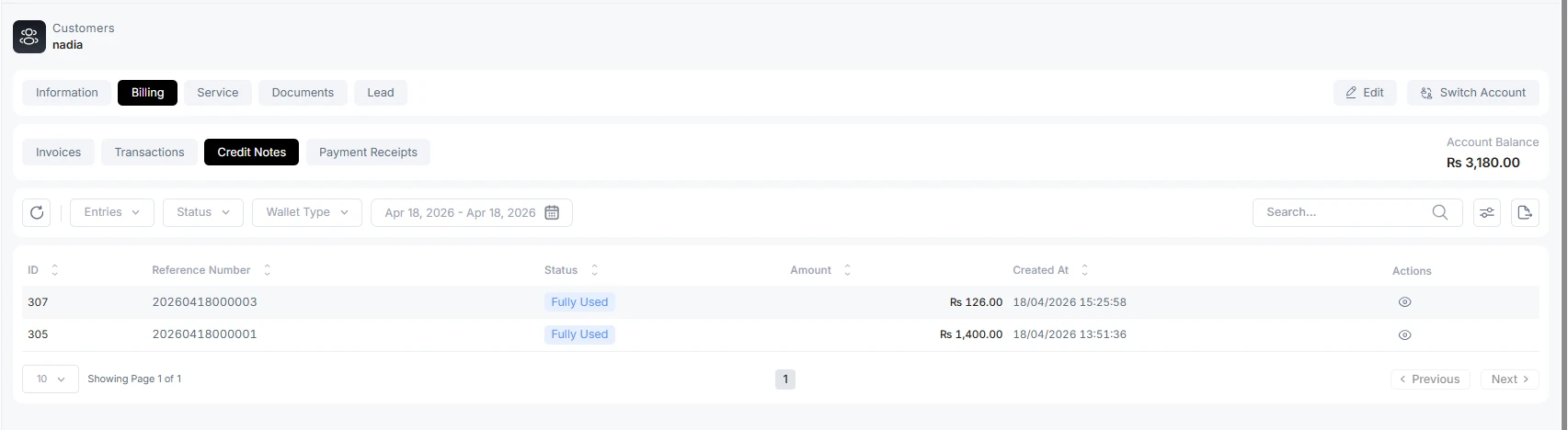
Credit Notes
These are the credit notes that appear in this section. An admin can see where these credit notes are used.
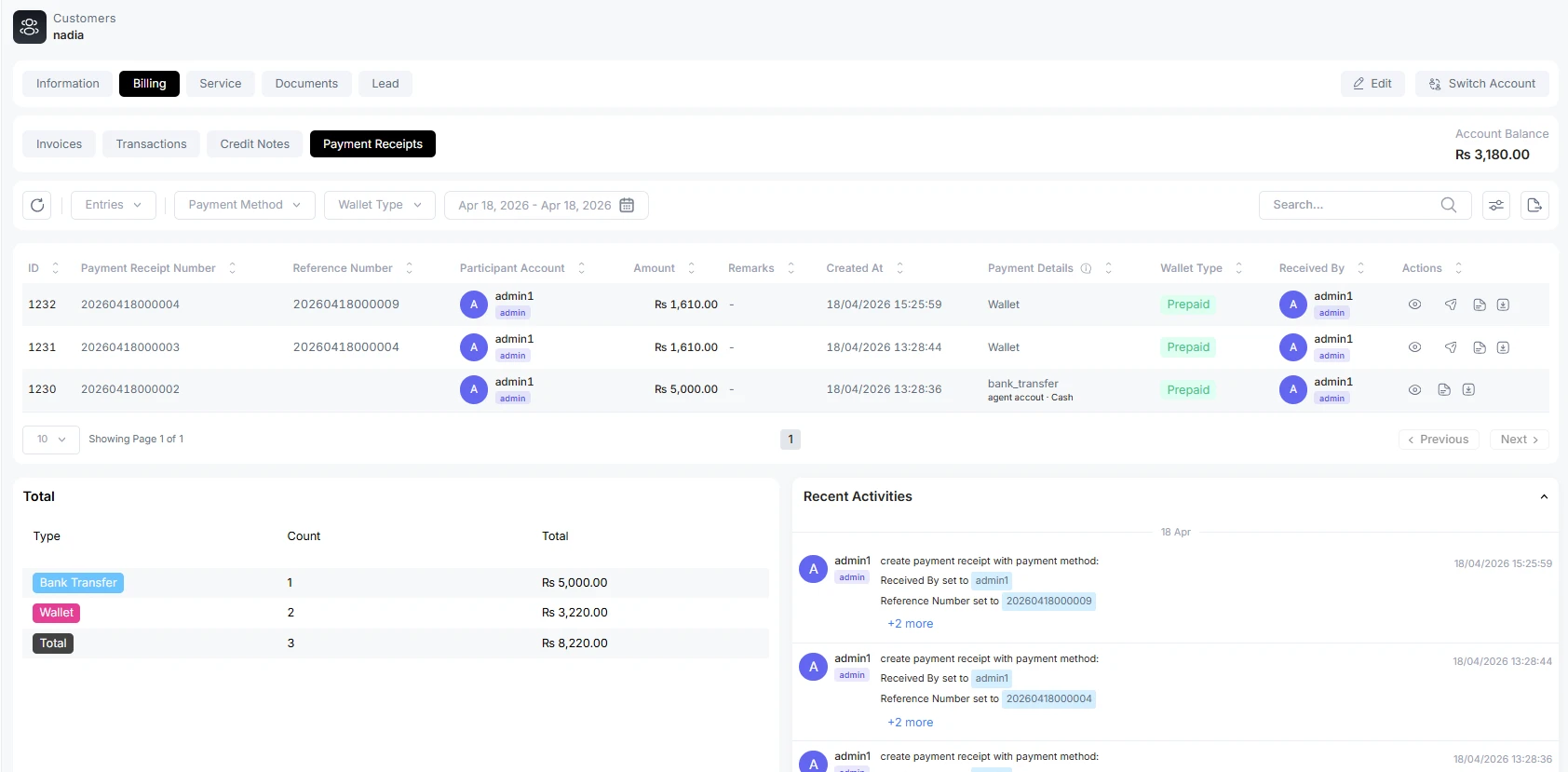
Payment Receipts
These are the payment receipts made by customers. Here, an admin or concerned person(SP/P/A) can see why this payment was made. Even you can see previous customer activities as log form. What type of transaction is it bank transfer or a wallet? How many payments do customers make?