Invoices
The section represents a complete list of invoices for each customer.
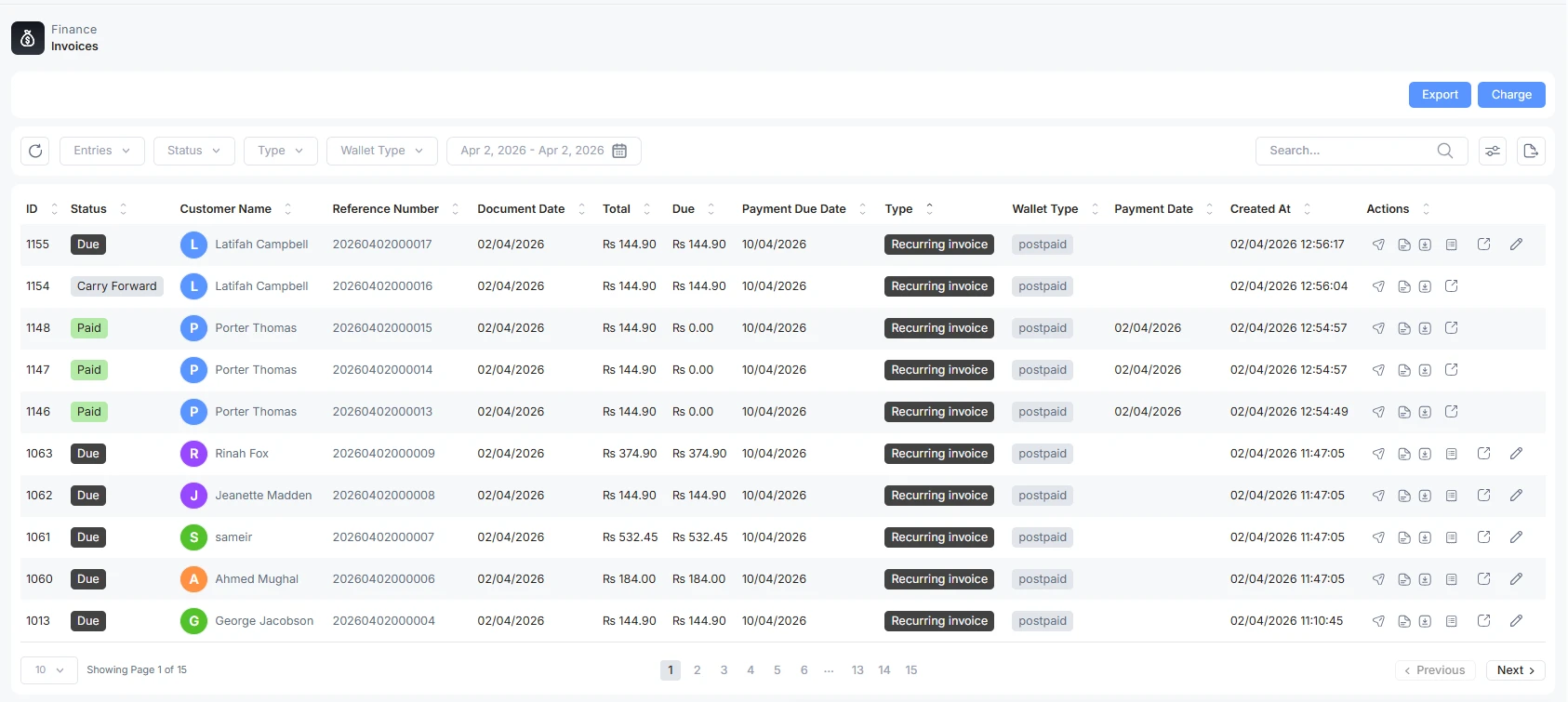
Send the due Invoice
You can send the due invoice to the customer with a single click. Go to the customer invoice name. Click on the arrow under the action on the left side to send a customer email.
Pay the Invoice
The due invoice can be paid by the admin or the partner by clicking on pay invoice option under actions.

Actions
Preview: You can preview the invoice before sending it to the customer
PDF: download in PDF form
Pay: To pay the invoice
Edit: To edit the autogenerated invoice before sending it to the customer
Download: To download the invoice
Invoice Status
This shows the total summary of invoices, how much has been paid and how many are left.
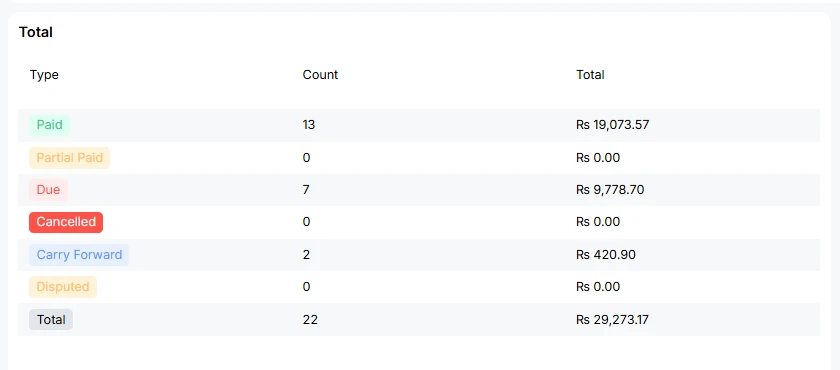
Paid: The invoice is paid
Partial Paid: Customer has cleared its half dues, and some are remaining
Due: the total amount is due; the customer has to pay before the due date.
Cancelled: A cancelled invoice is one tied to a service cycle that was superseded, typically when a customer recharges/renews their service mid-cycle. This invoice is no longer valid because the service it covered was replaced.
Carry Forward: The previous due is included in the current dues.
Disputed: An invoice that the recipient (customer, partner, or branch) has formally questioned because they believe something is incorrect or unclear.
Recent Activities
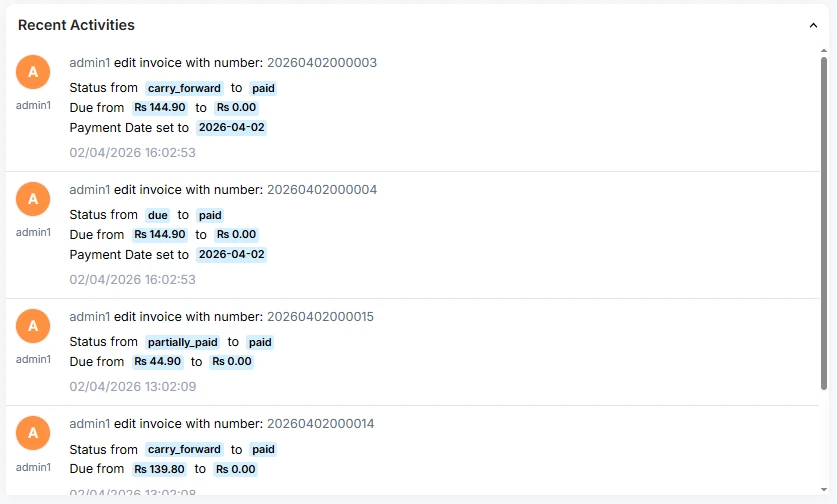
This is the latest invoice related to recent activities
-
At date 2/4/2026 13:02:09, admin1 cleared dues of Rs 44.9 to Rs. 0, and its status is changed from partially paid to paid. The invoice number is also mentioned
-
For reference, invoice number 20260402000004, the customer's due amount has been paid, and the status has been updated accordingly. The payment receipt is generated.
-
At 2/4/2026, 16:02:53, the carryforward due is cleared. The customer status turned to paid.

