Attentions
ALT Radius provides a finance attention dashboard that highlights key financial tasks and priorities. This page offers items like Needs Attention, Ready To Do and FYI that help users quickly identify urgent issues, pending actions, and informational updates.
With this page, ISPs can make timely decision-making, reduce financial risks, and keep all financial operations organized.
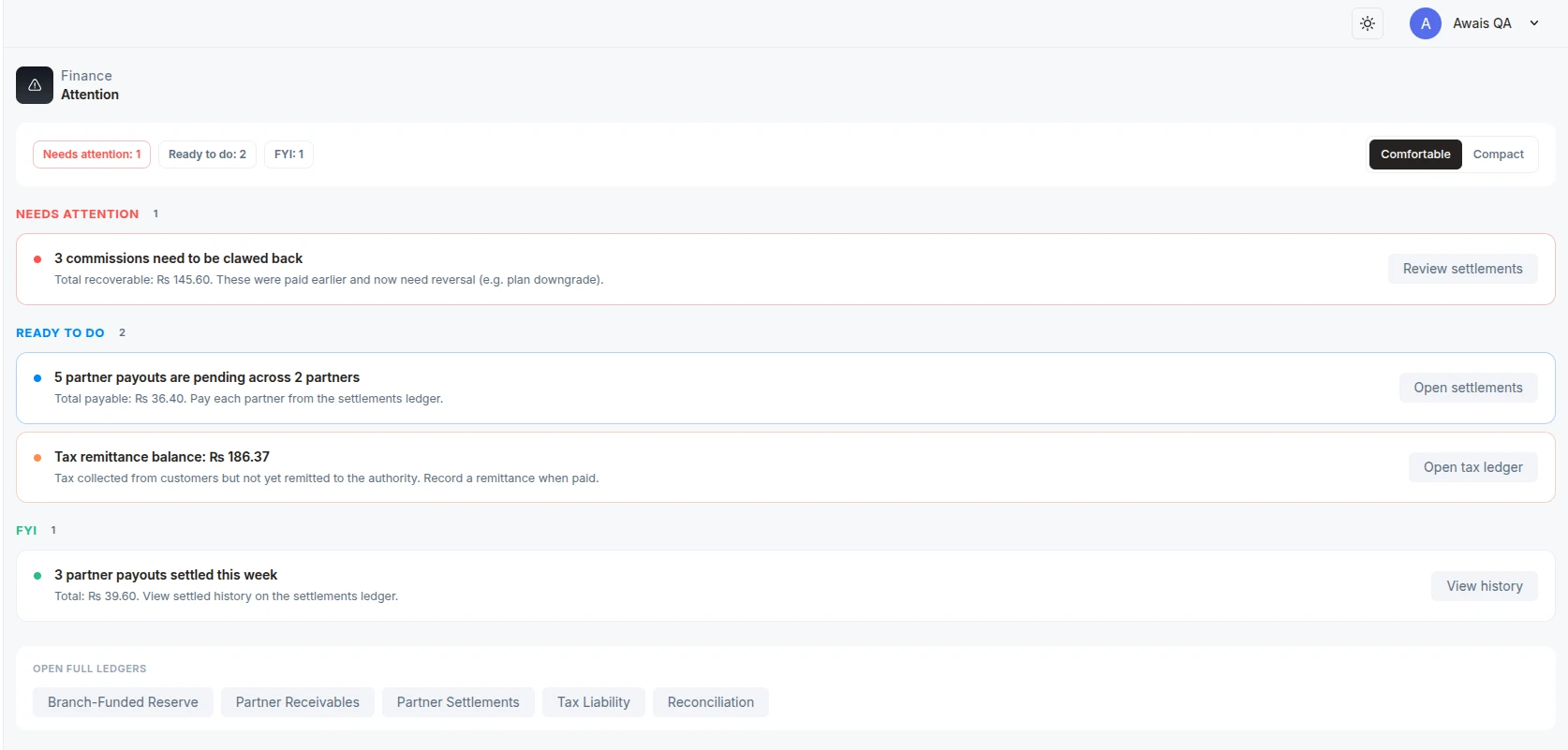
In this example
-
3 commissions need to be crawled back, because plans were downgraded. The page also provides an option to land on the settlement page, where the admin can take actions
-
5 payments are pending for 2 partners
-
Tax needs to be remitted
-
3 partners pay out settled this week (information history)
Categories in Attention
It groups in three sections
| Bucket | Meaning |
| Needs Attention | Something is overdue, recoverable, mismatched, or risky. Review it soon. |
| Ready To Do | A normal financial action is waiting, such as paying pending settlements or remitting tax. |
| FYI | Useful finance activity that does not need urgent action. |
Examples Of Needs Attention
-
Partner receivables are overdue.
-
Partner settlements are recoverable and need clawback.
-
Partner-owned customer A/R is old enough to review.
-
Reconciliation shows variance
Examples Of Ready To Do
-
Pending partner payouts are waiting.
-
Tax payable is available to remit.
When Items Disappear
An attention item usually disappears when the underlying financial issue is resolved.
Examples:
-
An overdue receivable disappears after it is settled or written off.
-
A pending settlement disappears after payout.
-
Tax payable disappears after remittance.
-
Reconciliation variance disappears after a newer balanced reconciliation run.
What To Check
At the start of each finance day:
-
Open Finance Dashboard.
-
Review Needs Attention first.
-
Review Ready To Do items.
-
Open the linked ledger page for each item.
-
Resolve or add notes according to branch policy.
-
Run Reconciliation after major finance cleanup.

