COA Logs
The COA log section represents the complete history of the COA/POD request session. It is a request sent to the Radius Server; in return, it shows the status of the request has been processed, or there is an error.
The ALT Radius software shows the complete history of which type of request this is and what the current status of that request is
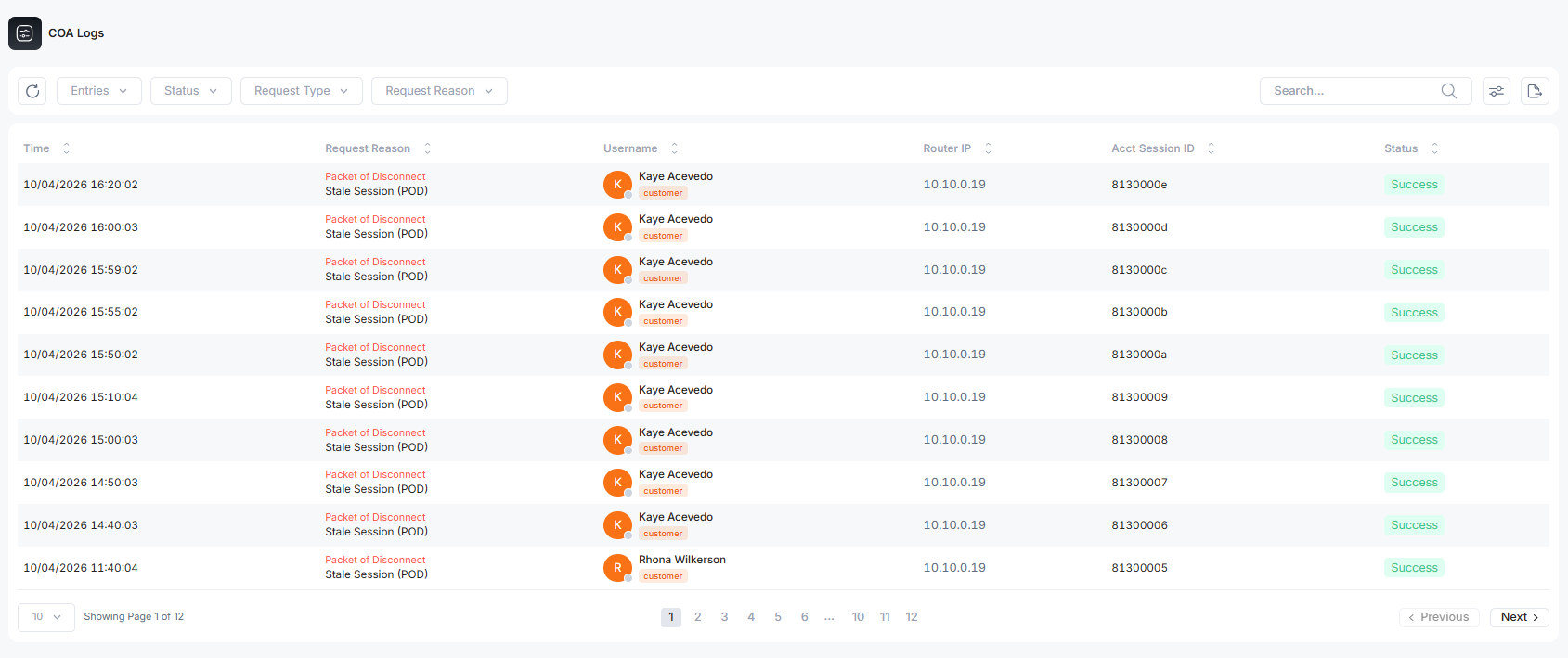
Time: When the particular COA/POD request was raised
Username: Through which customer router is the request generating
Router IP: the customer router IP address
Acct Session ID: the ID when the customer router is connected to the Radius server
Request Types: mostly, there are two types of requests
COA: change of authorization (usually for tariff plan change or allocation assignment)
POD: Packet of Disconnect (for disconnecting system)
Status: What happens to that raised request? Mostly it is successful or router offline (not proceed)
Possible Request Reasons
All the requests are sent to the Radius Server, that send forward to the NAS ISP.
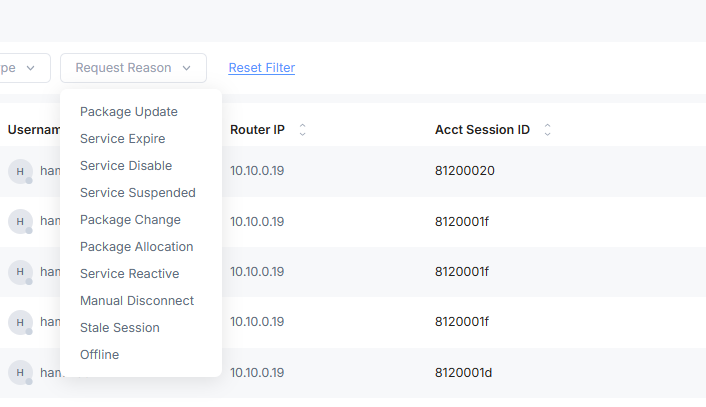
Package Update: when a user wants to update the tariff plan, it sends COA request to the Radius Server
Service Expire: when the customer's tariff plan has crossed its ending date.
Service Disable: when the customer service is manually disabled
Service Suspended: when the service is cut off due to non-payment of customer
Package Update: There is a change in the tariff plan, so ALT Radius sends requests to the Radius Server for changes.
Package Allocation: The request is sent to the Radius Server when there is a change in the speed during a particular time, as defined in the tariff plan. The request is sent to execute the plan.
Package Change: when the customer wants to upgrade or downgrade the tariff plan. For that particular change in the customer plan COA request is sent.
Service Reactive: when a suspended customer is reactivated
Manual Disconnect: To disconnect the service, a POD request is sent
Stale Session: the stale state means the accounting stop request has been generated from ALT Radius but didn’t implement due to the router being offline or a connection loss. So, a POD request is sent to end this session.
Offline: the ISP NAS is offline; the request is not successful.
Request Status
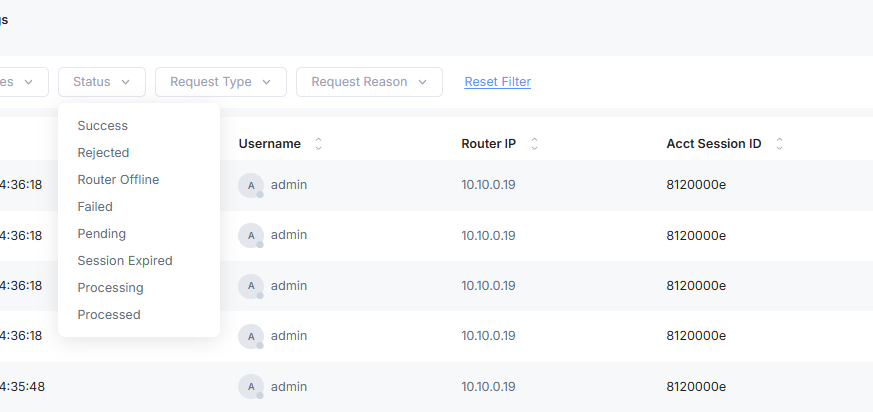
The status of the COA/POD request after sending the request to the router of the ISP.
Success: the COA request is successful changes have been implemented
Rejected: the request is not completed due to technical issues
Router Offline: The request is not successful due to the ISP router offline
Failed: the request failed during transportation due to the port blocked or any other reason
Session Expired: The request session has timed out.
Processing: the request is being processed
Proceed: the request has been processed
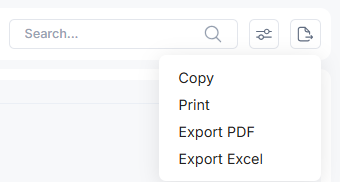
Share COA Logs
The COA logs can be shared with other persons in four ways: copy the log and paste in other file. Print the activity log directly. Export the file in PDF or Excel form.