Ipv4 Networks
As an ISP branch admin, you can create an IPv4 network. To assign some specific IP addresses to Senior Partner, Partner, or Agent. Further, these IPs can be assigned to customers who demand a static IP.
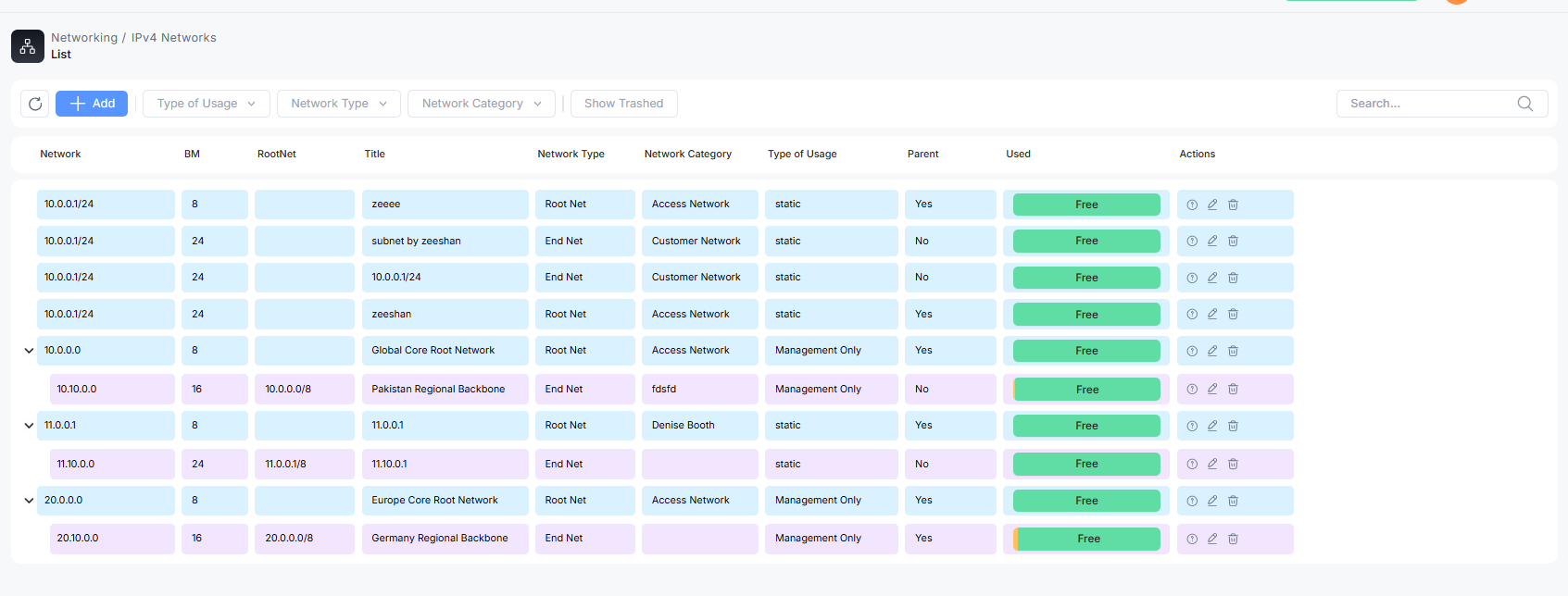
Go to the networking section, then IPv4 network, and you will see a list of IPv4 networks created by ISPs for further use.
Sorting the network list
An ISP admin can sort the network list with respect to
-
Network category ( the type of network used for )
-
Type of usage ( static IPs, Management use, Creating IP Pool )
-
Network Type ( Root Net, End Net)
-
You can reset the filter for a full view of the list

Actions
An admin can edit the network information. Delete the network. You can even preview the information.

How to Create an IPv4 Network?
Click on the Add button and fill in the details
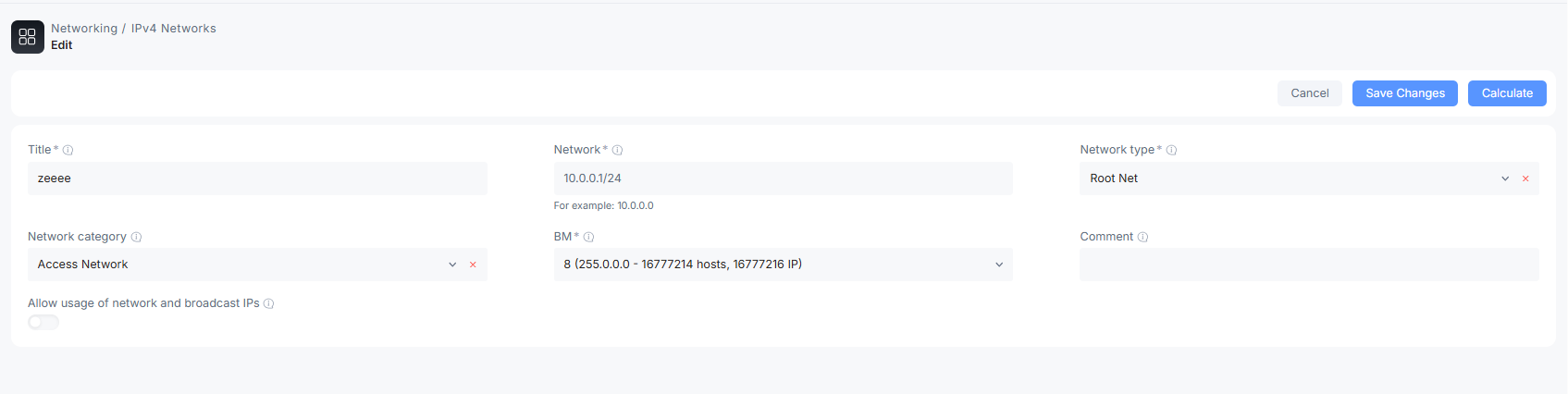
Title: the name of the network
Network: Type the network IP address; once entered can not be edited again.
Network Type: You can select two types: Root Net for internal management system handling and End Net IPs for assigning to customers.
Network Category: Select the network use case for which purpose network will be used
BM: Select CIDR, subnet mask, class, and number of hosts for the network
Comments: Any additional comments for describing the network
Allow usage of network & broadcast IP: clicking on this button will let user to use these two dedicated IPs.
Completing All the information in the fields. Click on Save changes.
Assign IPs to Senior Partner/Partner/Agent
Click on the Add button. Fill in the above-mentioned information. Choose Network Type to End Root. The partner option will appear. Choose the partner from the list.

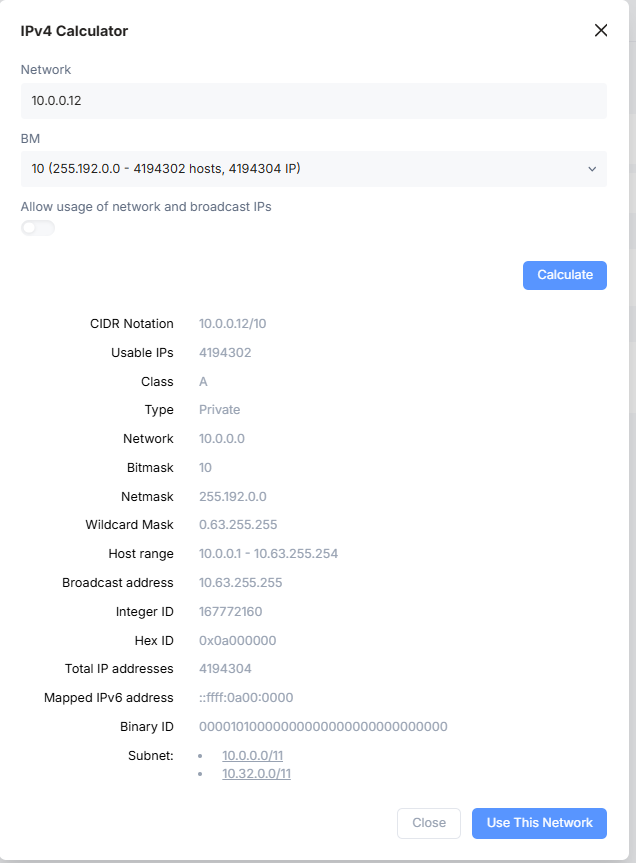
Calculate (IPv4 Calculator)
It is an Ipv4 build in calculator for ISP ease, to check how many IPs are available with Class names. Host ranges available. Broadcast address and much more for complete information. You can preview the information before creating the IPv4 network