Add Balance
Applies to all editions
A reseller pays for service out of a prepaid wallet. Topping up that wallet is how the branch , or a reseller higher up the chain , puts spendable balance into a reseller's account. This page covers every way to do it: the quick top-up from a reseller's profile, the same action from the branch ledger (with its funding options), and the manual wallet adjustments and reversals.
Where to find it:
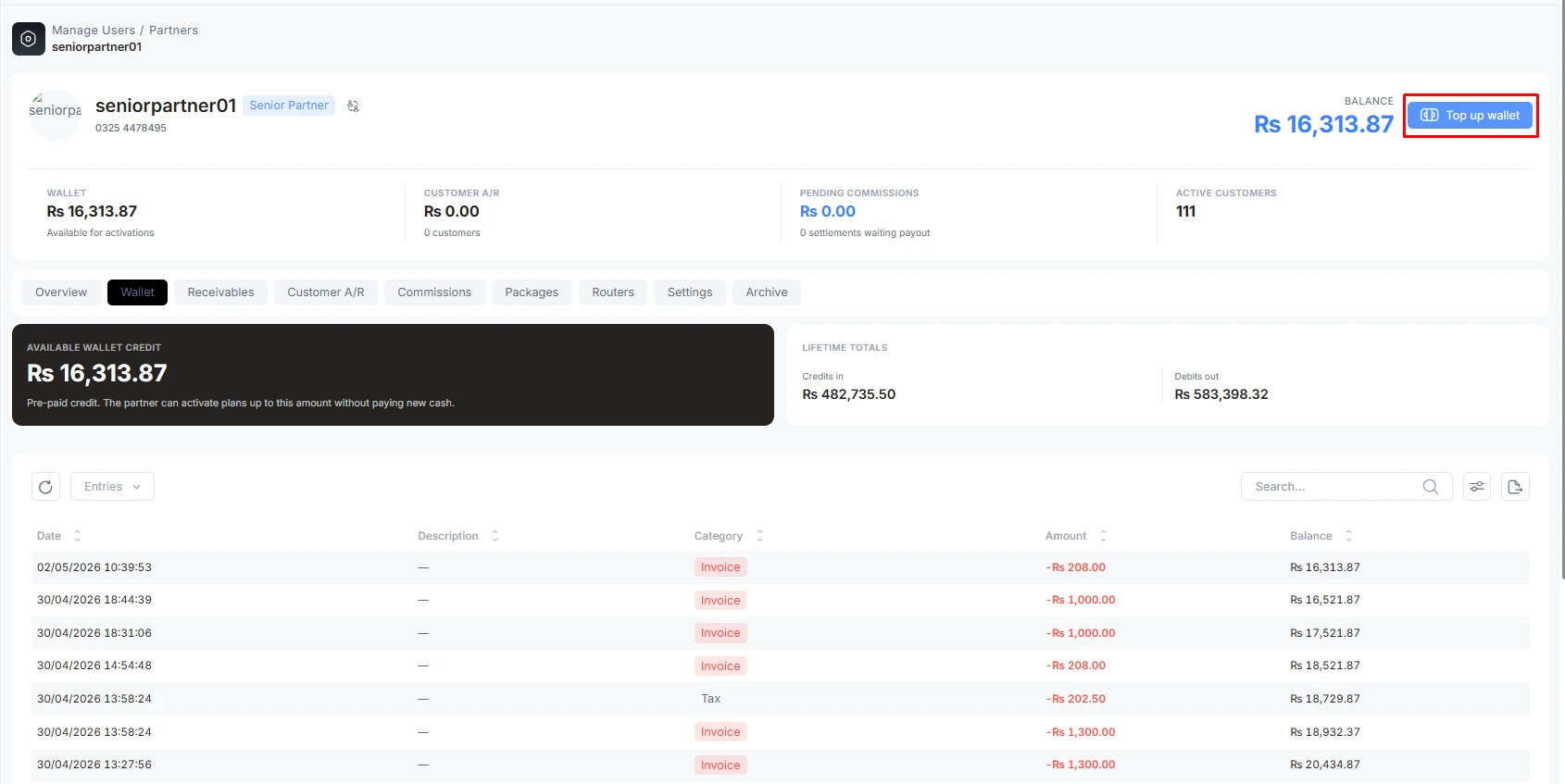
- Sidebar → User Management → Partners → open a reseller → Top up wallet (in the profile header).
- Sidebar → Finance → Branch Ledger → Branch-Funded Reserve (the branch-ledger paths), for Admins.
Operator guide
A reseller pays for service out of a prepaid wallet. Topping up that wallet is how the branch , or a reseller higher up the chain , puts spendable balance into a reseller's account. This page covers every way to do it: the quick top-up from a reseller's profile, the same action from the branch ledger (with its funding options), and the manual wallet adjustments and reversals.
Where to find it:
- Sidebar → User Management → Partners → open a reseller → Top up wallet (in the profile header).
- Sidebar → Finance → Branch Ledger → Branch-Funded Reserve (the branch-ledger paths), for Admins.
Who can top up whom
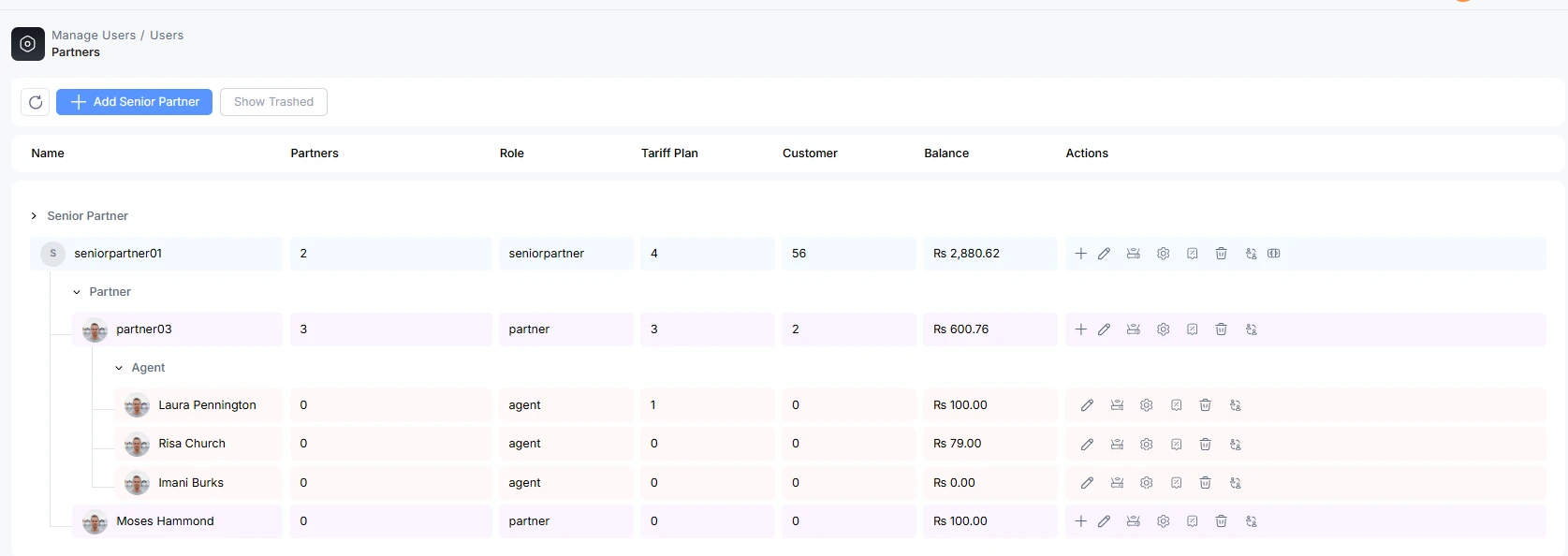
Adding balance follows the hierarchy. Each level can fund the level directly beneath it, and the Admin can fund anyone:
| You are | You can top up |
|---|---|
| Admin | Any reseller. |
| Senior Partner | Their own Partners. |
| Partner | Their own Agents. |
The manual wallet adjustments, reversals, and the branch reserve are Admin-only, finance-ledger actions.
Top up from the reseller's profile
Open the reseller and click Top up wallet in the profile header. The dialog lets you choose a funding source and, for branch-funded top-ups, a funding type, then record the cash you took.
Funding source
| Source | When it appears | What it means |
|---|---|---|
| Branch-funded | Admin top-ups (default). | The branch is putting money in and is recording cash it received. |
| Parent transfer | The reseller has an upline, and a reseller is funding their own child. | Balance moves from the parent's wallet into the child's , an internal transfer, no external cash. |
Funding type (branch-funded only)
| Funding type | What it does |
|---|---|
| Add wallet credit | Straightforward top-up , the reseller receives the balance immediately. |
| Settle receivable | Applies the incoming money to the reseller's oldest outstanding on-credit debts first (oldest paid off first); anything left over becomes fresh wallet credit. |
| Issue on credit | Gives the reseller wallet credit before they pay, and records the amount as a receivable they now owe. Requires a credit limit and an active credit status set for that reseller. |
Cash intake fields (branch-funded, when not "issue on credit")
These record proof of the money you received:
| Field | What it does | Notes |
|---|---|---|
| Payment method | How the money came in (cash, bank transfer, online wallet). | Required. |
| Payment account | The account the money landed in. | Required; the choices filter to the selected method. |
| Payment mode | The nature of the payment (e.g. in-person, online). | Required. |
| Balance / Amount | The amount to add to the wallet. | Required; must be positive. |
| Description | A note for the audit trail. | Optional but recommended. |
Top-up is a review-then-confirm action: you see a summary (including any receivable that will be settled or issued) before committing. On success the reseller's balance updates immediately, and , for issue-on-credit or settle-receivable , the matching receivable is created or cleared.
The quick add-balance form
Where only a plain cash top-up is needed, the add-balance form asks for just the essentials , Payment method, Payment account, Payment mode, Balance, and Description , and credits the wallet directly. It is the same cash-intake information described above without the funding-type choices.
Branch-ledger paths (Admin)
The Branch Ledger (Finance → Branch Ledger) is the Admin's control room for reseller money. Its Branch-Funded Reserve page carries three actions that touch wallets and one that funds the branch's own reserve.
Top up partner wallet (Reseller Credit purchase)
The same top-up described above, launched from the ledger with a partner picker so you can fund any reseller. It offers the same funding types , add wallet credit, settle receivable, and issue on credit , and records the cash intake. Use this when you are working from the finance side rather than from a specific reseller's profile.
Add branch reserve funds
Adjusts the branch's own special-purpose reserve (opening balances, promotional/goodwill grants, manual corrections). This is not a reseller top-up and does not touch any reseller's wallet , reseller cash never flows through the reserve.
| Field | What it does | Notes |
|---|---|---|
| Amount | Amount to add to (or, if negative, remove from) the reserve. | Required. |
| Payment method / account / mode | Records the movement. | Required. |
| Description | Why the adjustment was made. | Visible in the audit trail. |
Adjust partner wallet (manual credit / debit)
A manual correction to a reseller's wallet balance, used to fix a genuine error rather than to record a payment.
| Field | What it does | Notes |
|---|---|---|
| Direction | Credit (increase) or Debit (decrease). | Requires the matching credit-adjustment or debit-adjustment permission. |
| Amount | The correction amount. | Required; greater than zero. |
| Reason | Why (opening-balance correction, under-credited, over-credited, other). | Required. |
| Notes | Audit context. | Required. |
| Allow negative | Lets a debit take the balance below zero. | Only available with the elevated negative-adjustment permission; otherwise a debit that would go negative is blocked. |
The dialog previews the resulting balance (shown in red if it would go negative) before you commit.
Reverse a wallet entry (one-time)
An individual wallet entry can be reversed once , a clean undo that posts the opposite entry and links the two together, rather than a silent edit. Reversible entries show a Reverse action on the Wallet tab; the reversal and the original are cross-badged so the history stays clear. Only entries that are eligible can be reversed, and each can be reversed a single time.
Related credit-policy actions
When you use issue on credit, the reseller must already have a credit policy. On the ledger's Partner Receivables page an Admin can:
- Set credit policy , a credit limit, terms (days until due), and a hold status (active / hold / suspended / blacklist). A zero or blank limit blocks issuing on credit entirely.
- Write off a receivable the reseller will not pay (partial write-off allowed).
- Reverse an on-credit issuance within its short reversal window (only while nothing has been paid against it and the credit hasn't been spent).
Troubleshooting
| Symptom | Likely cause | What to do |
|---|---|---|
| "Issue on credit" is unavailable | The reseller has no credit limit, or their credit status isn't active. | Set a credit policy on Partner Receivables first. |
| A debit adjustment is blocked | It would push the wallet negative and you lack the negative-adjustment permission. | Use a smaller amount, or have an Admin with that permission tick "Allow negative". |
| Top-up succeeded but exposure didn't drop | You chose "add wallet credit" instead of "settle receivable". | Use settle receivable to apply money to outstanding on-credit debt. |
| Reserve total changed but no wallet did | "Add branch reserve funds" only affects the branch reserve. | Use Top up partner wallet to move money into a reseller's wallet. |
| Can't reverse a wallet entry | The entry isn't eligible, or it was already reversed once. | Use a manual adjustment instead, with a reason and notes. |

