Add User
Applies to all editions
A user is a person who logs in to your branch and works inside the CRM — a sales agent, a support operator, a billing clerk, a manager. Each user is given one or more roles, and those roles decide exactly what the user can see and do (see Roles & Permissions).
This page covers staff users — the people who work for the branch. Resellers (Senior Partner, Partner, Agent) are created and managed on a separate screen; see Add Partner.
Where to find it: Sidebar → User Management → Users.
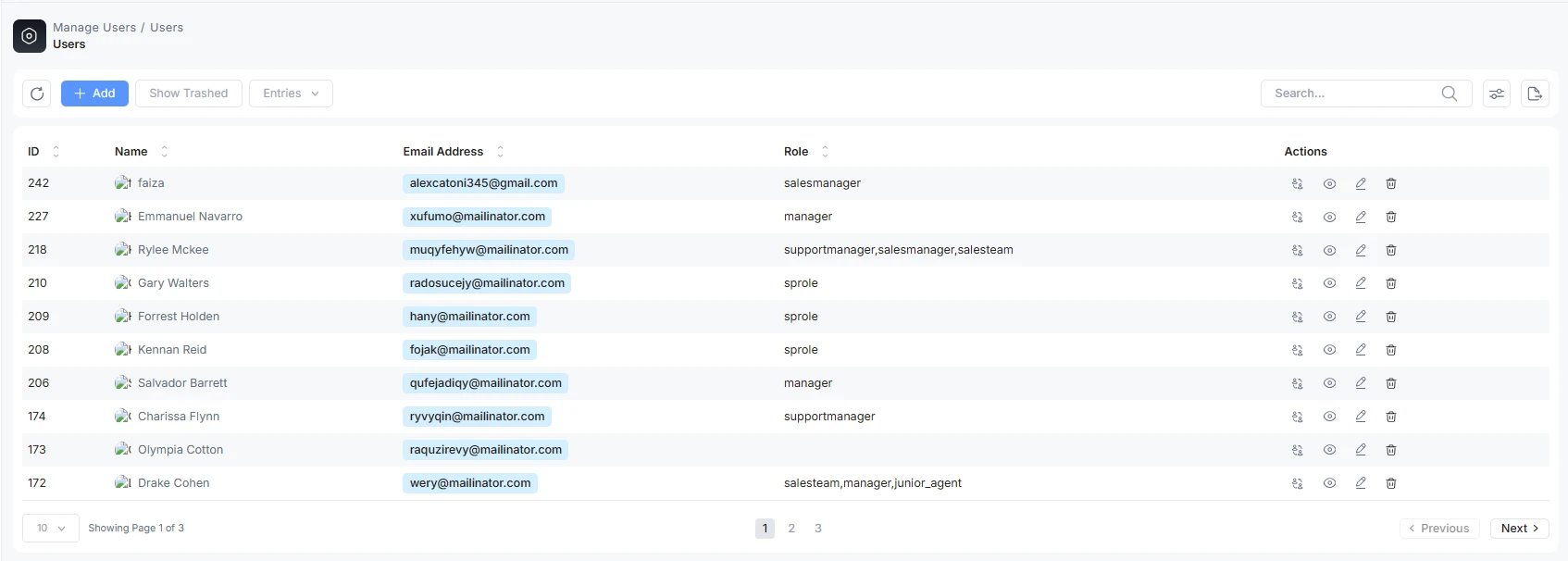
What you can do on the user list
Each row on the Users list offers, depending on your permissions:
- Edit the user's profile and roles.
- Preview the profile read-only.
- Delete (archive) the user. Users are archived, not permanently removed, so history stays intact; an archived user can be restored.
- Switch to the user's account (Admin only) to see the CRM as they do.
Who can create whom
| You are | You can create |
|---|---|
| Admin (branch main user) | Staff users, and all reseller positions (Senior Partner, Partner, Agent). |
| Branch staff (with the user-create permission) | Other staff users. Staff cannot create an Admin. |
Creating partners/agents is governed by the reseller-hierarchy permissions described in Add Partner — you must sit above the level you are creating.
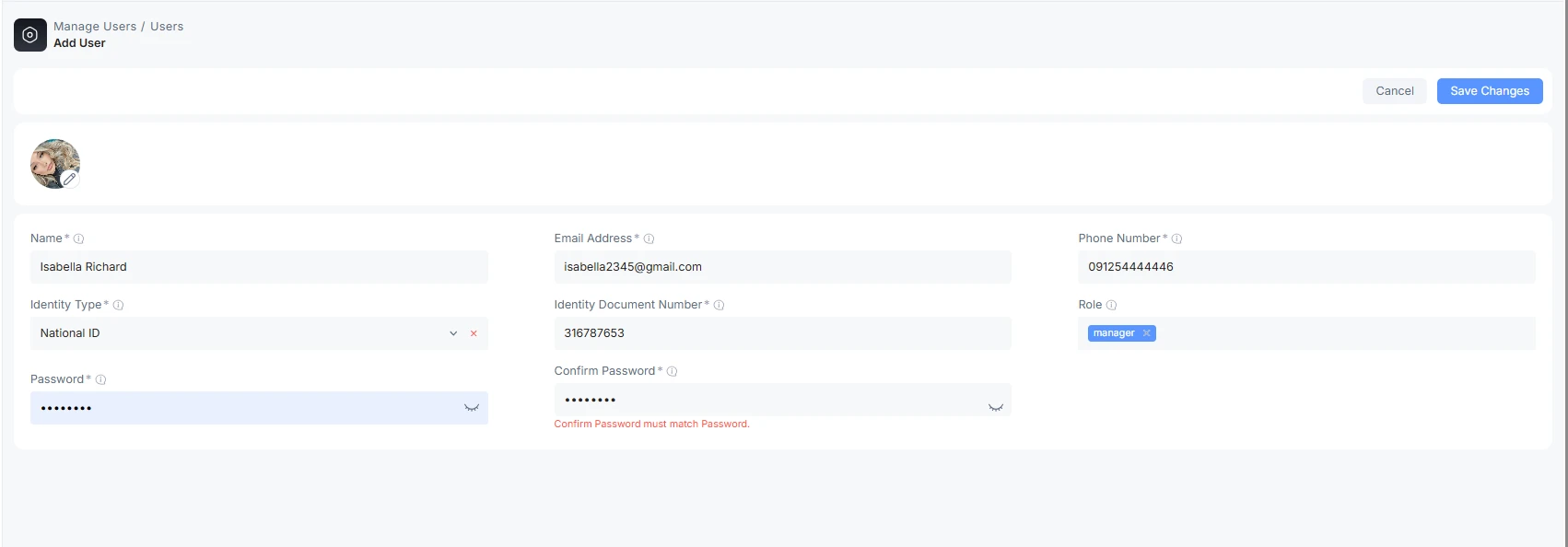
Add a staff user
Go to User Management → Users and click Add (the create button on the list). Fill in the form and save.
Fields
| Field | What it does | Notes |
|---|---|---|
| Profile picture | Optional avatar for the user. | Upload from the circular image control at the top of the form. |
| Name | The user's real name. | Required. |
| Email Address | The user's login-related contact email. | Required and must be unique in the branch. |
| Phone Number | The user's contact number, with a country selector. | Required; validated against the selected country's format. |
| Identity Type | The kind of ID document (e.g. National ID). | Required; chosen from a dropdown. |
| Identity Document Number | The ID number for the chosen type. | Required; must be valid and unique. |
| Role | One or more roles that define this user's access. | Choose from the roles you created under Roles. A user may hold several roles; effective access is the combination. |
| Password | The user's initial sign-in password. | Required on create. Use the generate helper for a strong random password. |
| Confirm Password | Re-enter the password to confirm. | Must match. |
Note: unlike older versions, there is no separate "Username" field — the user is identified for sign-in by their email. Passwords can be reset later: an Admin (or any role holding the reset-password permission) can set a new password from the Edit User screen.
Save
Click Save to create the user. They can sign in immediately with the email and password you set, and will see only what their assigned roles allow.
Departments and teams
Staff users are not assigned a department or team on this form. Departments are maintained separately under branch configuration and are used elsewhere in the product (for example, ticket routing). If you don't see a department field on the user form, that is expected.
Edit, archive, and restore
- Edit: change any field, roles, or (with permission) the password.
- Archive (delete): removes the user from active lists but keeps their history. Requires the delete permission.
- Restore: brings an archived user back; visible when you show trashed rows.
Users cannot be permanently erased in day-to-day use — the model is archive-and-restore so that audit trails and past activity remain attributable.
Troubleshooting
| Symptom | Likely cause | What to do |
|---|---|---|
| "Email must be unique" | The email is already used by another user. | Use a different email. |
| The new user can't see a page | Their roles don't include that permission. | Edit the user's roles, or adjust the role (see Roles & Permissions). |
| No password fields on Edit | You don't hold the reset-password permission. | Have an Admin reset the password. |
| Can't create an Admin | Only an Admin can grant the Admin role. | Create the user from an Admin account. |

