Sales Report
A sales report provides a detailed financial transaction between the admin, senior partner, partner, and agent. Tracks the revenue of each service plan and customer pricing plan. This customer does not include tax.
ISP Admin can easily track where and how much profit the admin, senior partner, partner, or agent is earning from each transaction. If it is negative, the admin has to pay the customer.
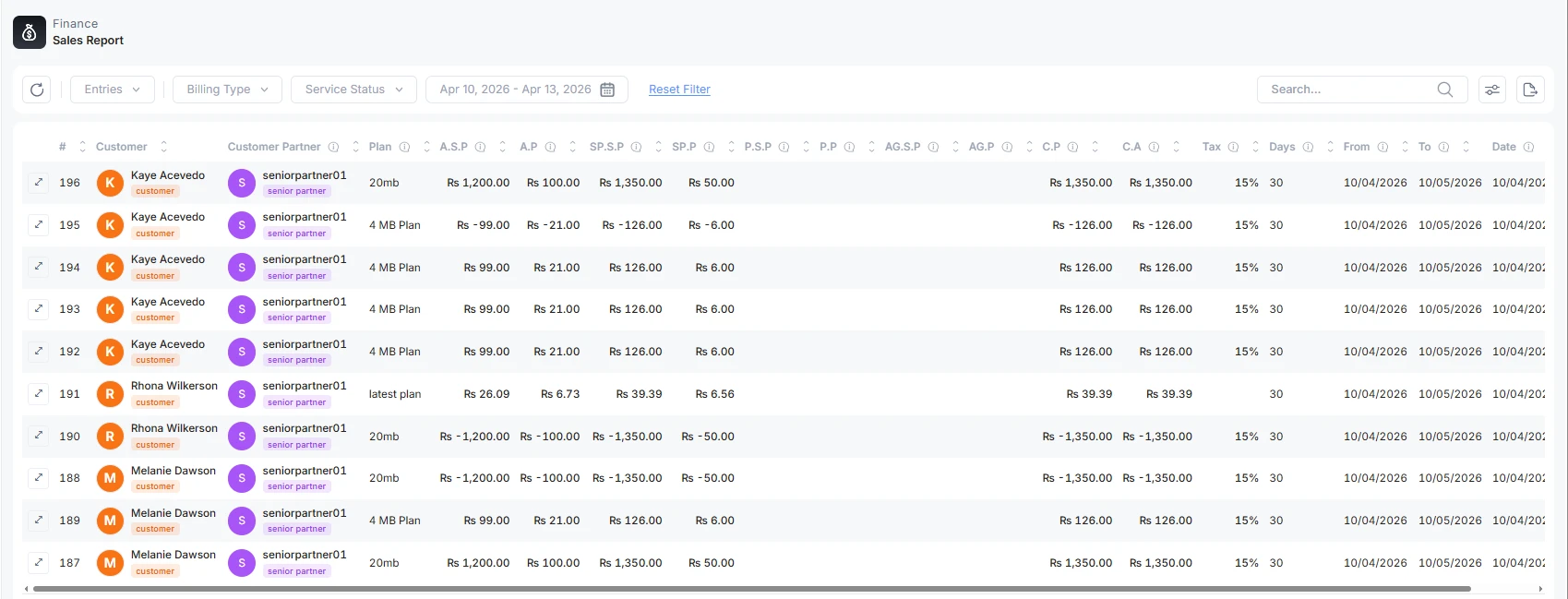
You can have a detailed view of each customer transaction and ledger report. Click on the very left icon.
Filter Available
An admin can quickly list down the customer’s sales report according to
-
Billing Type: Prepaid or postpaid type
-
Service Status: Customer is active, pending, expired, and blocked
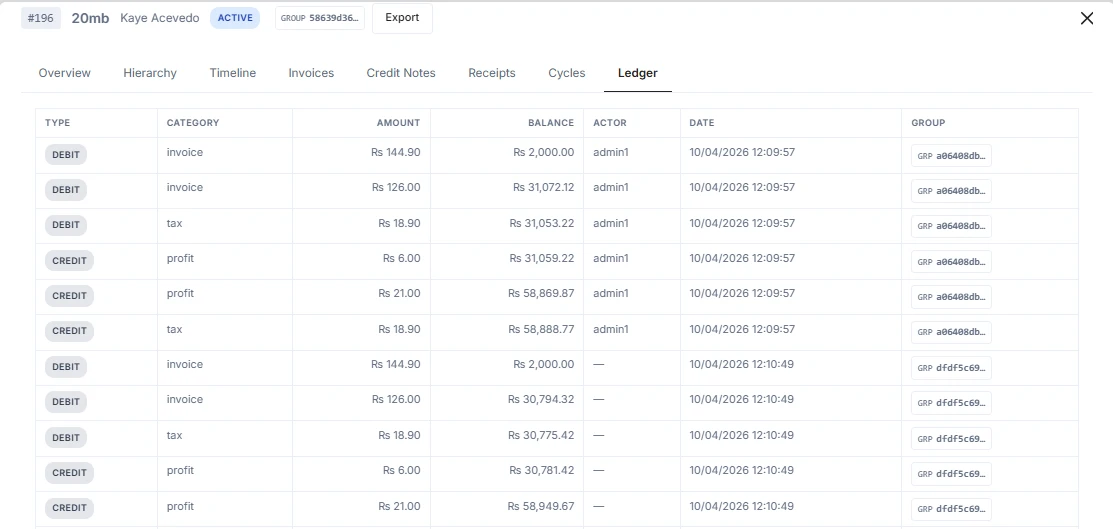
Share Ledger Report
You can share a customer report by clicking on the open lifecycle preview. Click on the export button to print or save the ledger