Renew Customer's Tariff Plan
There are three methods of renewing a customer plan.
1-During Service Activation
By default, the service will activate on the next billing cycle. But if a button auto-renew is activated during the first time the tariff plan is activated. It will automatically charge the person after the end of the billing cycle.
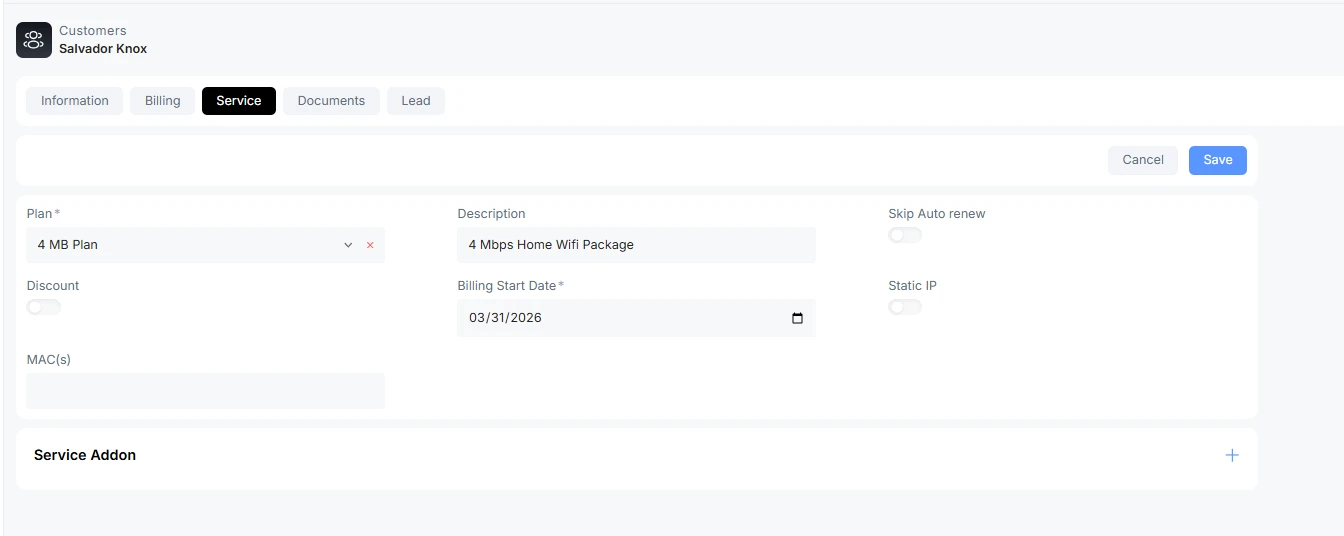
The plan will auto-renew.
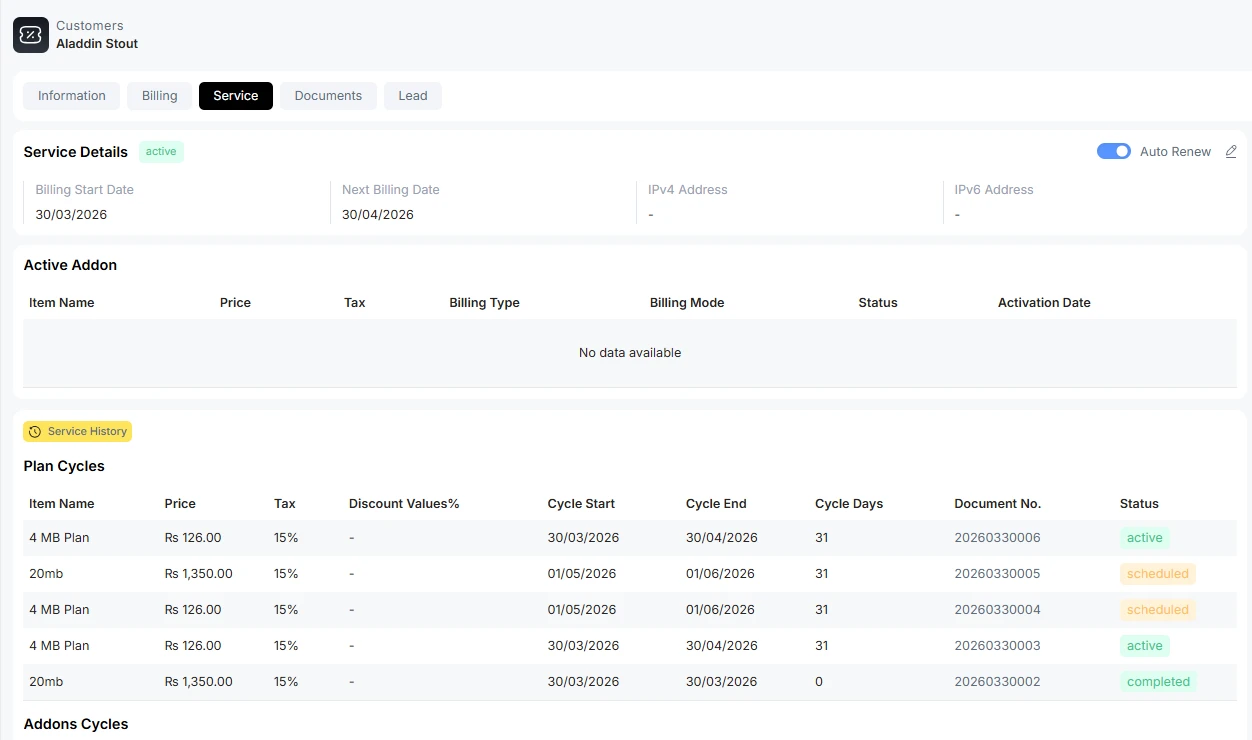
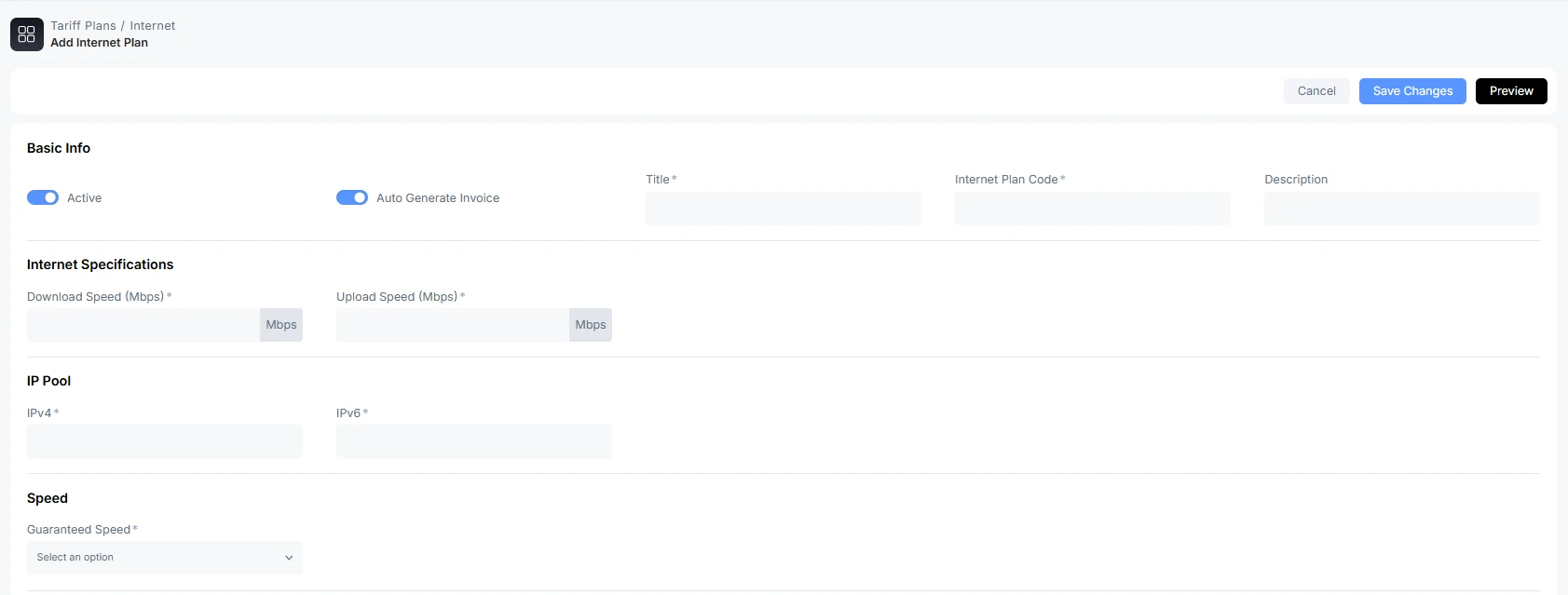
2-During Tariff Plan Creation
The tariff plan also has an option to automatically renew the plan. Click on auto-generate invoice. This will automatically generate an invoice for the next billing cycle.
3-Renew Service Plan Manually
Go to the customer tab, click on the customer name you are charging for the current month. Go to the service menu option. Select from the available plans. Click on the recharge button to activate the service. This is the case, if the auto-renewal option is off.
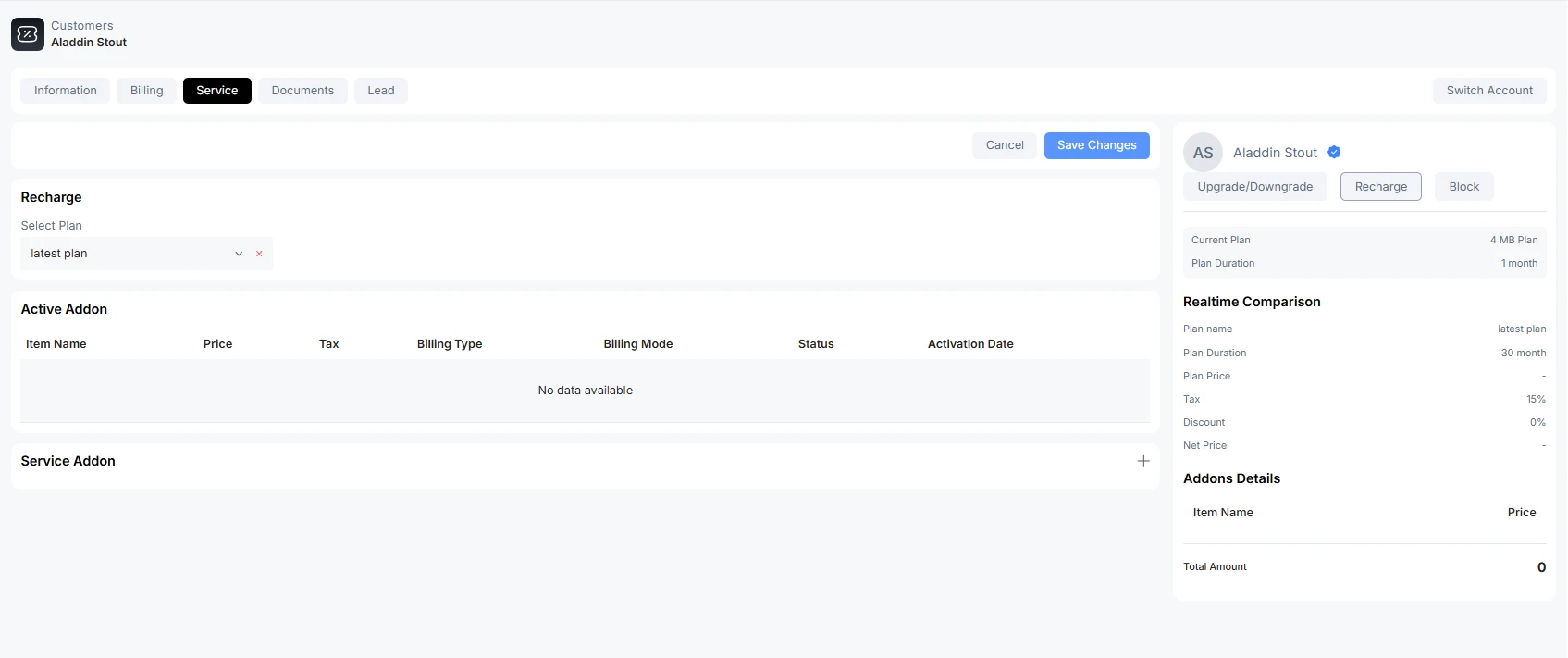
Upgrade/Downgrade Plan
For the customer who wants to upgrade or downgrade the plan, visit the customer tab, click on the customer's name, and go to the service option. On the right side, click on upgrade/downgrade plan.
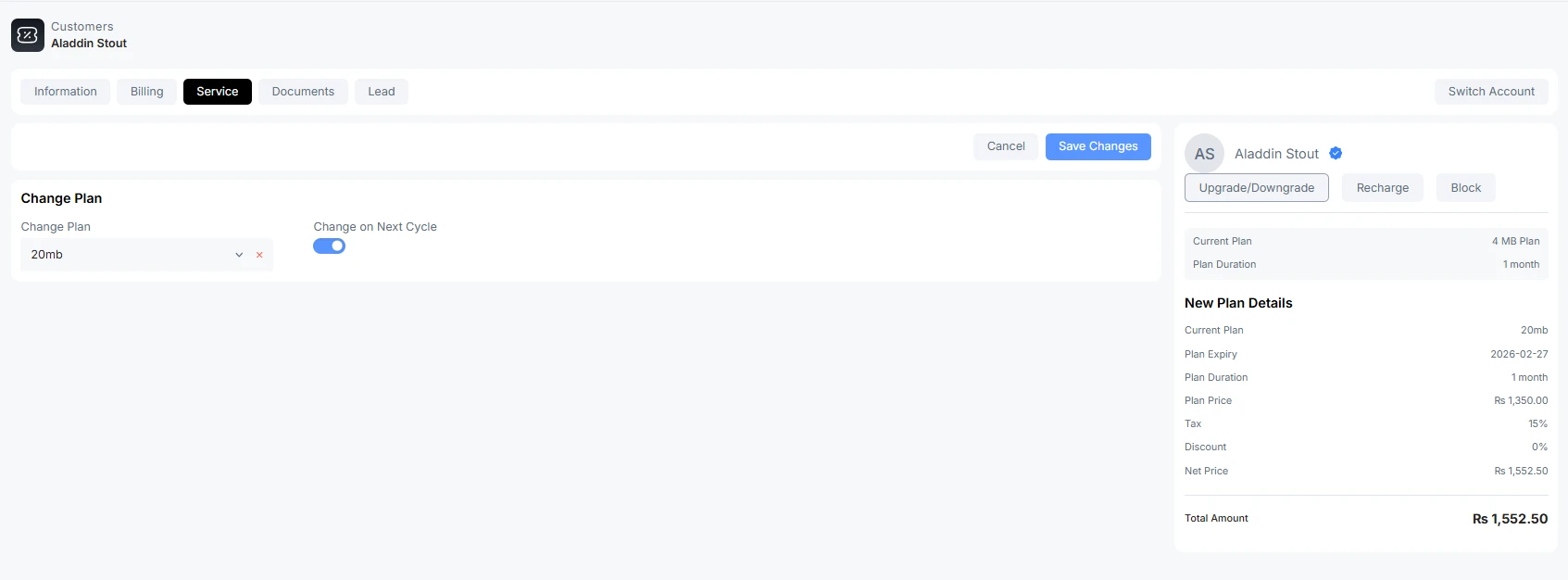
Change Plan: Select from the available plans
Change in next cycle: The plan change will implement on the next billing cycle
If change in the next cycle, the button is not activated. The new plan will be implemented right now at the moment.
For prepaid customers, if the customer demands a downgrade in plan before the next billing cycle. The remaining amount is sent to credit notes that return to the customer's wallet balance.
For postpaid service, an invoice is generated and sent for outstanding dues in case of downgrade service in the middle of the month.
Cycle of Plan
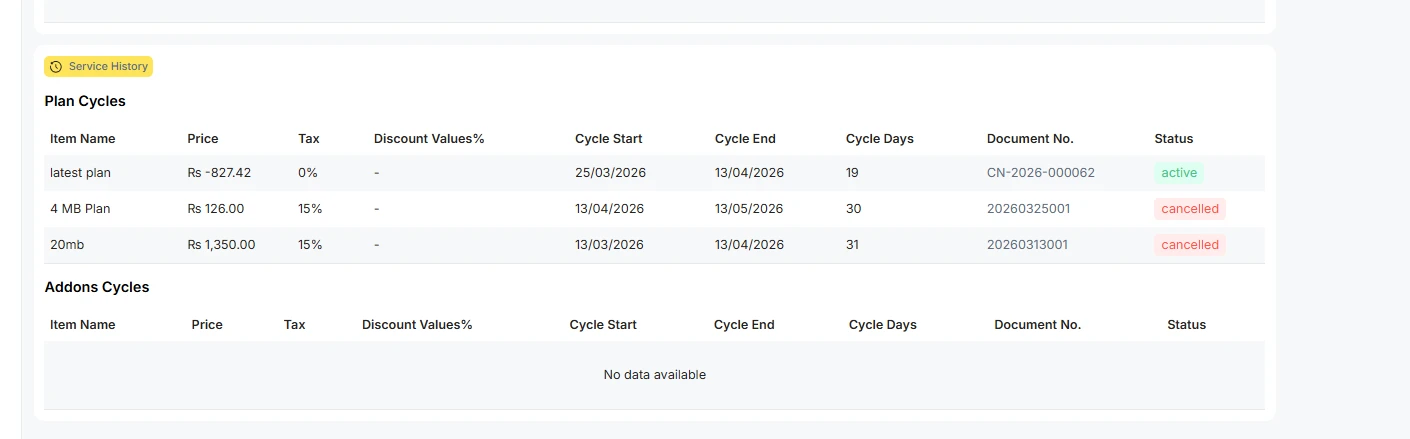
The tariff plan cycle starts at the billing date and ends after 30 days. During that cycle, if the customer changes a plan, the previous cycle's remaining days become the new cycle for that period. For example, if the customer changes plan after 10 days, then the new tariff plan subscription charges will be charged for 20 days according to the next cycle.
Customer Unblock
If a senior partner or partner blocks that customer after the spending grace period. Such customers can be manually unblocked. Visit the service tab of the customer section. Click on unblock
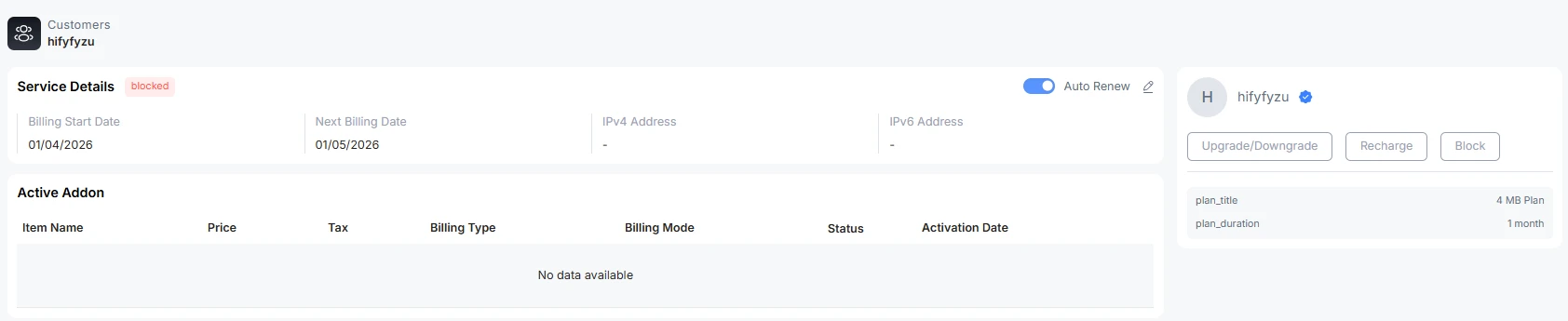
In Customer Status
There are three states of a customer: active, pending, or blocked.
Active: the customer service is active now, and he or she can use the internet service. There is an exchange of data
Pending: the service is scheduled for the next billing cycle. Hence customer status is in the pending state
Suspended: when the customer's payment due date has passed. The status of the customer is suspended.
Blocked: when a partner intentionally blocks the customer. No availability of internet service.

